Best Trading App in India: Compare Features, Brokerage, Safety & Choose the Right Trading Platform
Choosing the best trading app can significantly influence your overall trading and investing experience. With dozens of brokerage apps available today, each claiming to offer lower brokerage fees, faster order execution, and better features, finding the right one can quickly become overwhelming—especially if you’re just getting started.
The truth is, there isn’t a single trading app that’s best for everyone. An app that works well for an intraday trader may not be the ideal choice for a long-term investor, and a beginner may prioritize simplicity over advanced charting tools. The right platform depends on your financial goals, trading style, budget, and the features you value most.
In this comprehensive guide, you’ll learn how trading apps work, the key factors to consider before choosing one, and how the leading trading apps compare in terms of brokerage charges, ease of use, security, charting capabilities, customer support, and overall user experience. We’ll also explain the hidden costs many beginners overlook, discuss the safety features that matter, and help you identify which app is best suited to your needs.
Whether you’re planning to invest in stocks for the long term, trade futures and options, or simply open your first trading account, this guide will provide clear, unbiased information to help you make an informed decision. Our goal is to educate—not recommend a specific broker or promise trading profits—so you can choose a regulated platform with confidence and understand the risks involved before you start trading.
Table of Contents
What Is a Trading App?
A trading app is a mobile or desktop application that lets you buy and sell financial securities like stocks, ETFs, mutual funds, futures, options, commodities, and currencies through a registered stockbroker.
Instead of calling a broker or visiting a branch, you can place trades, track your portfolio, and monitor the market anytime using your smartphone or computer.
A trading app acts as a bridge between you and the stock exchange. When you place an order, the app sends it to your broker, who then executes it on exchanges like the NSE or BSE.
Besides order execution, most trading apps offer useful features such as:
- Real-time market prices
- Interactive charts
- Technical indicators
- Watchlists
- Price alerts
- Portfolio tracking
- Market news and research
These tools help both beginners and experienced traders make informed decisions.
Which Is the Best Trading App?
There isn’t a single best trading app for everyone. The right choice depends on your trading style, investment goals, experience level, and the features you need.
For example, a beginner may prefer an app with a simple interface and educational resources. An active trader might prioritize advanced charting tools, fast order execution, and multiple order types. Long-term investors often look for low costs, reliable customer support, and an easy-to-manage portfolio.
When comparing trading apps, consider these factors:
- Brokerage and other charges
- Ease of use
- Order execution speed
- Charting and technical analysis tools
- Research and market insights
- Security features
- Customer support
- Availability of web and desktop platforms
In the next section, we’ll compare the best trading apps in India based on these criteria to help you choose the one that best matches your needs.
How We Evaluated the Best Trading Apps
To create this guide, we compared the most popular trading apps available in India using the criteria that matter most to investors and traders.
Rather than focusing only on brokerage charges or app ratings, we evaluated each platform based on its overall trading experience, reliability, features, and ease of use.
Brokerage Charges
Low brokerage can reduce trading costs, especially for active traders. However, it’s also important to consider other charges such as DP fees, exchange transaction charges, and taxes.
Ease of Use
A good trading app should have a clean interface that’s easy to navigate. Beginners should be able to place orders, manage their portfolio, and access key features without confusion.
Order Execution Speed
Fast and reliable order execution is essential, particularly for intraday and options traders. Delays during volatile markets can affect trade execution and pricing.
Charting & Analysis Tools
We looked at the quality of charts, available technical indicators, drawing tools, and other features that help traders analyze the market.
Research & Learning Resources
Some trading apps provide market news, stock research, educational articles, webinars, and trading tutorials. These resources can be especially valuable for beginners.
Security & Regulation
Only apps offered by SEBI-registered brokers were considered. We also looked at security features such as two-factor authentication (2FA), biometric login, and data protection measures.
Customer Support
Reliable customer support is important when you need help with account-related issues, order execution, or technical problems. We considered the available support channels and overall responsiveness.
By evaluating trading apps across these factors, we aim to provide an unbiased comparison that helps you choose the platform that best fits your trading and investing needs.
Best Trading Apps in India Compared
The table below compares some of the best trading apps in India based on ease of use, features, brokerage, charting tools, and overall trading experience.
| Trading App | Best For | Overall Rating | Account Opening | Equity Delivery Brokerage | Intraday & F&O Brokerage* | Key Strength |
|---|---|---|---|---|---|---|
| Zerodha Kite | Active Traders & Investors | ⭐⭐⭐⭐⭐ (4.9/5) | Free | ₹0 | ₹20 or 0.03% per executed order (whichever is lower) | Industry-leading charts, reliability, and low brokerage |
| Groww | Beginners & Long-Term Investors | ⭐⭐⭐⭐⭐ (4.8/5) | Free | 0.05% of the total trade value or ₹20 (whichever is lower) | ₹20 or 0.1% per executed order (whichever is lower) | Simple interface and beginner-friendly experience |
| Dhan | Options & Intraday Traders | ⭐⭐⭐⭐⭐ (4.8/5) | Free | ₹0 | ₹20 per executed order | Excellent tools for F&O traders and TradingView integration |
| Fyers | Technical Traders | ⭐⭐⭐⭐☆ (4.7/5) | Free | 0.05% of the total trade value or ₹20 (whichever is lower) | ₹20 per executed order | Advanced charting and fast order execution |
| ICICI Direct | ICICI Bank Customers | ⭐⭐⭐⭐☆ (4.5/5) | Free | Varies by plan | Varies by brokerage plan | Integrated banking, Demat, and trading account |
| HDFC SKY | HDFC Bank Customers | ⭐⭐⭐⭐☆ (4.4/5) | Free | ₹0 (selected plans) | Flat brokerage plans available | Modern platform with banking integration |
| SBI Securities | Long-Term Investors | ⭐⭐⭐⭐☆ (4.3/5) | Free | Varies by plan | Varies by brokerage plan | Trusted SBI ecosystem and investment services |
*Brokerage charges and pricing plans may change over time. Always verify the latest charges on the broker’s official website before opening an account.
Note: The ratings above are our editorial assessments based on factors such as ease of use, trading features, pricing, platform stability, charting capabilities, customer support, and overall user experience. Your ideal trading app may differ depending on your investment goals and trading style.
Which Trading App Should You Choose?
If you’re new to the stock market, look for an app that’s simple to use and offers educational resources.
If you’re an active trader, prioritize fast order execution, advanced charting tools, and reliable performance during volatile market conditions.
Zerodha Kite Review
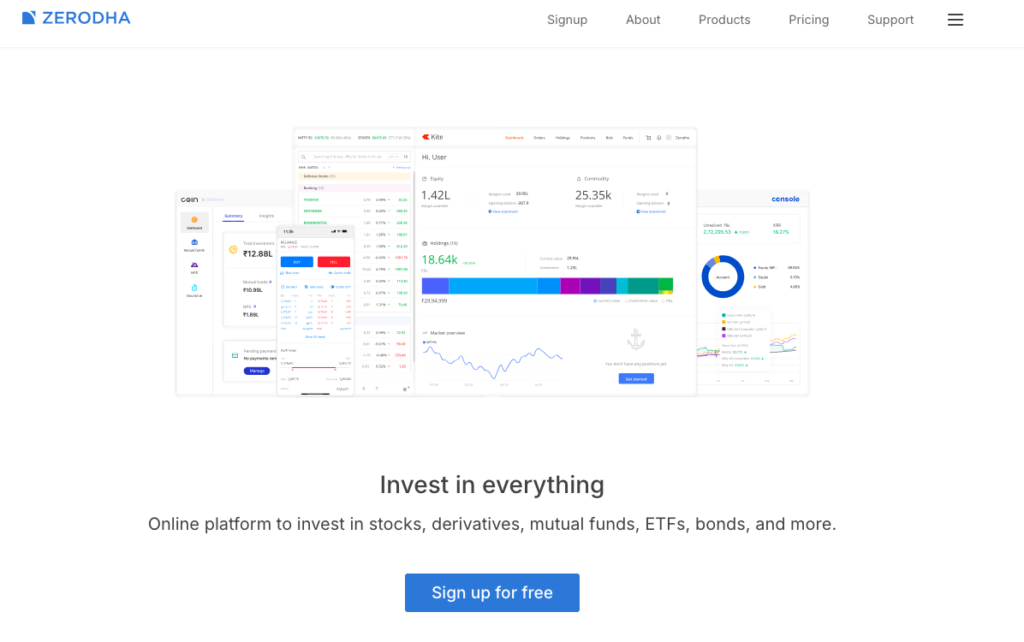
Zerodha Kite is the flagship trading platform of Zerodha, India’s largest discount broker by active clients. Launched in 2015, Kite is known for its clean interface, fast order execution, and powerful charting tools. It supports trading in equities, ETFs, mutual funds, futures, options, commodities, and currencies.
Whether you’re a beginner opening your first Demat account or an experienced trader, Zerodha Kite offers a balance of simplicity and advanced features.
Key Features
- ₹0 brokerage on equity delivery trades
- ₹20 or 0.03% brokerage per executed intraday and F&O order (whichever is lower)
- Advanced charts powered by TradingView and ChartIQ
- More than 100 technical indicators and drawing tools
- Multiple order types, including GTT (Good Till Triggered)
- Real-time market data and customizable watchlists
- Available on Android, iOS, and web browsers
Pros
- Beginner-friendly and easy-to-use interface
- Industry-leading charting and technical analysis tools
- Fast and reliable order execution
- Transparent brokerage with no hidden charges
- Strong educational support through Zerodha Varsity
- Regular feature updates and a stable trading platform
Cons
- No built-in stock recommendations or advisory services
- Call & Trade orders incur additional charges
- Margin trading features are more limited than some competitors
Brokerage & Charges
Zerodha charges ₹0 brokerage for equity delivery investments.
For intraday equity, futures, currency, and commodity trades, the brokerage is ₹20 or 0.03% per executed order, whichever is lower.
For equity options, a flat ₹20 per executed order is charged.
Apart from brokerage, you’ll also need to pay statutory charges such as STT, GST, exchange transaction charges, SEBI charges, stamp duty, and DP charges where applicable.
Who Should Choose Zerodha Kite?
Zerodha Kite is an excellent choice for:
- Beginners starting their investing journey
- Intraday traders
- Swing traders
- Options and futures traders
- Long-term investors
- Traders who rely heavily on technical analysis
Who May Want Another App?
If you’re looking for built-in investment advisory services, relationship managers, or a 3-in-1 banking, trading, and Demat account, a full-service broker such as ICICI Direct, HDFC SKY, or SBI Securities may better suit your needs.
Our Verdict
Zerodha Kite is one of the best trading apps in India for users who want a fast, reliable, and feature-rich platform without paying high brokerage fees. Its intuitive interface, advanced charting capabilities, transparent pricing, and extensive educational resources make it suitable for both beginners and experienced traders.
Overall Rating: ⭐⭐⭐⭐⭐ (4.9/5)
Best For: Active traders, options traders, swing traders, and long-term investors looking for a low-cost, powerful trading platform.
Groww Review
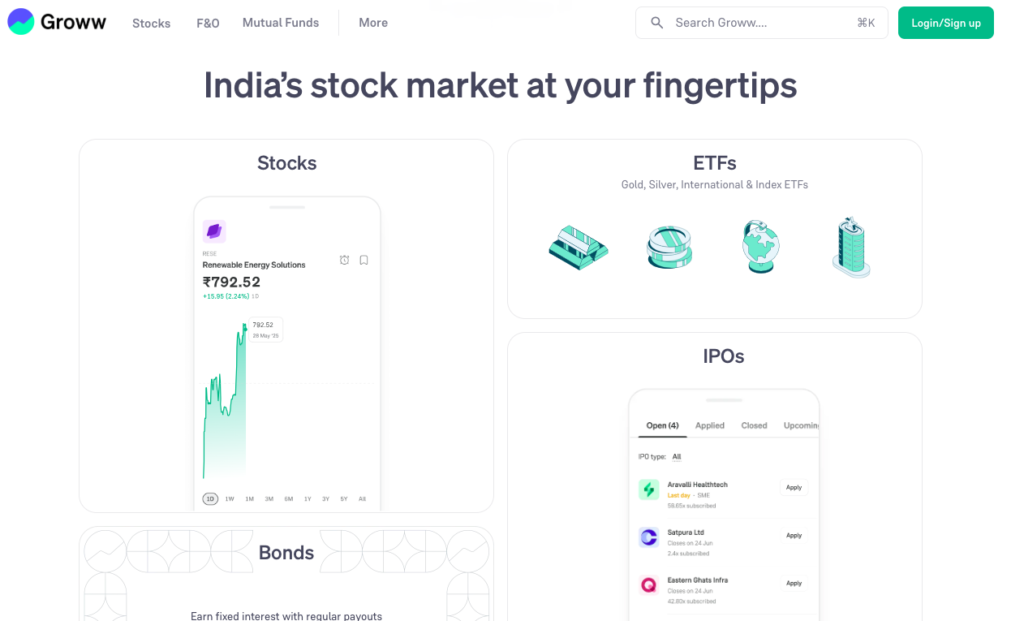
Groww started as a mutual fund investment platform and has since evolved into one of India’s most popular trading and investing apps. Its clean design, paperless account opening, and intuitive interface make it a top choice for beginners entering the stock market.
Today, Groww allows users to invest and trade in stocks, ETFs, mutual funds, IPOs, futures, and options from a single platform.
Key Features
- 0.05% of the total trade value or ₹20 (whichever is lower) brokerage on equity delivery trades
- ₹20 or 0.1% brokerage per executed intraday and F&O order (whichever is lower)
- Simple and beginner-friendly interface
- Advanced charts powered by TradingView
- Easy IPO and mutual fund investing
- Real-time market data and watchlists
- Available on Android, iOS, and web browsers
Pros
- Extremely easy to use for beginners
- Quick and paperless account opening
- Supports investing and trading in one app
- Clean and clutter-free interface
- Free equity delivery trading
- Integrated mutual fund and IPO investing
Cons
- Fewer advanced trading features than some competitors
- Limited customization for professional traders
- Research tools are relatively basic
Brokerage & Charges
Groww charges 0.05% of the total trade value or ₹20 (whichever is lower) for equity delivery trades.
For intraday equity, futures, and options trading, the brokerage is ₹20 or 0.1% per executed order, whichever is lower.
In addition to brokerage, standard regulatory charges such as STT, GST, exchange transaction charges, stamp duty, SEBI charges, and DP charges (where applicable) also apply.
Who Should Choose Groww?
Groww is an excellent choice for:
- First-time investors
- Beginners learning the stock market
- Long-term investors
- Mutual fund investors
- Users looking for a simple investing experience
Who May Want Another App?
If you’re a frequent intraday or options trader who relies on advanced charting, extensive order types, or highly customizable trading tools, platforms like Zerodha Kite, Dhan, or Fyers may be a better fit.
Our Verdict
Groww stands out for its simplicity and ease of use. While it may not offer every advanced feature that professional traders expect, it provides an excellent experience for beginners and long-term investors who want to invest and trade through an intuitive, user-friendly platform.
Overall Rating: ⭐⭐⭐⭐⭐ (4.8/5)
Best For: Beginners, long-term investors, and anyone looking for a simple and hassle-free trading experience.
Dhan Review
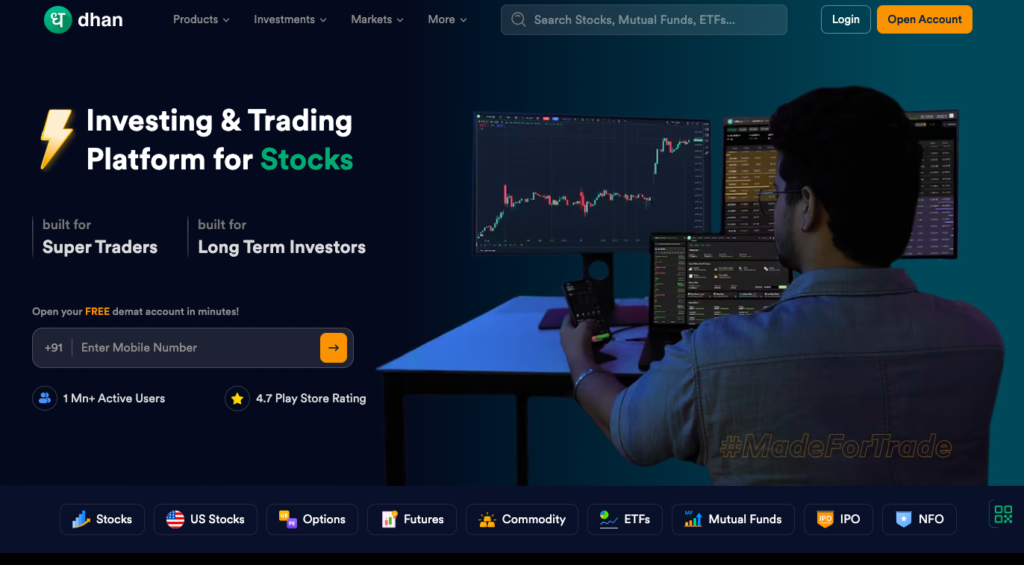
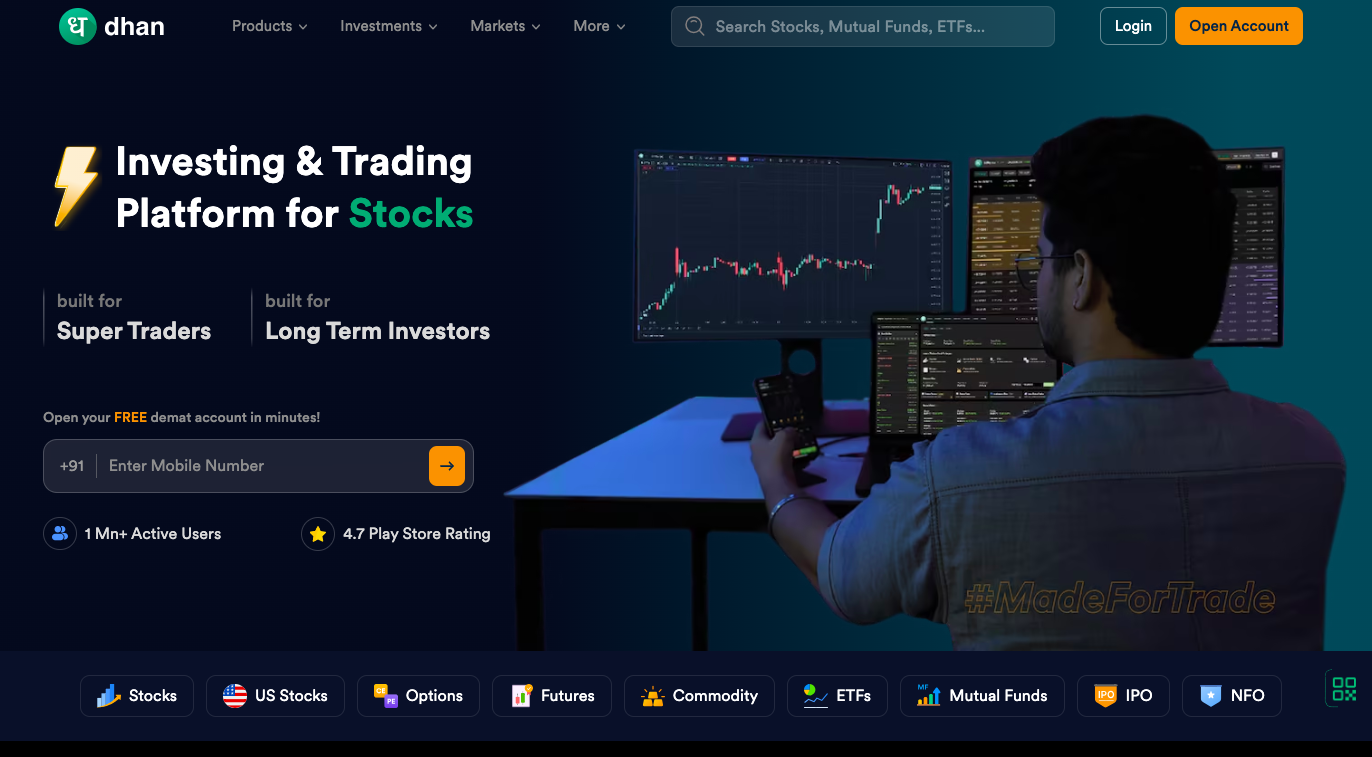
Dhan is a modern trading platform built primarily for active traders. Since its launch in 2021, it has gained popularity among intraday and F&O traders by offering advanced trading tools, powerful charting, and features designed specifically for speed and efficiency.
The platform supports trading in stocks, ETFs, mutual funds, IPOs, futures, options, commodities, and currencies.
Key Features
- ₹0 brokerage on equity delivery trades
- ₹20 flat brokerage per executed intraday, F&O, commodity, and currency order
- TradingView and ChartIQ charts
- Advanced Options Chain with Greeks
- Basket Orders and Forever Orders
- Real-time market scanner and watchlists
- Available on Android, iOS, and web browsers
Pros
- Excellent platform for options and intraday traders
- Powerful charting with multiple technical indicators
- Flat and transparent brokerage
- Fast order execution
- Advanced order types and trading tools
- Regularly introduces new trader-focused features
Cons
- Can feel overwhelming for beginners
- Mutual fund and long-term investing experience isn’t as polished as some competitors
- Smaller offline presence compared to traditional brokers
Brokerage & Charges
Dhan offers ₹0 brokerage on equity delivery investments.
For intraday, futures, options, commodities, and currency trading, it charges a flat ₹20 per executed order.
As with all brokers, statutory charges such as STT, GST, exchange transaction charges, SEBI charges, stamp duty, and DP charges apply where applicable.
Who Should Choose Dhan?
Dhan is an excellent choice for:
- Options traders
- Intraday traders
- Swing traders
- Technical analysts
- Experienced market participants looking for advanced trading tools
Who May Want Another App?
If you’re completely new to the stock market and want the simplest possible experience, platforms like Groww may be easier to learn. Investors who prefer integrated banking services may also find bank-backed brokers such as ICICI Direct or HDFC SKY more suitable.
Our Verdict
Dhan is one of the best trading apps in India for active traders. Its advanced charting, options trading features, and trader-first approach make it a strong choice for users who want more than just a basic trading app. While beginners may face a slight learning curve, experienced traders are likely to appreciate its powerful feature set.
Overall Rating: ⭐⭐⭐⭐⭐ (4.8/5)
Best For: Options traders, intraday traders, swing traders, and technical analysis enthusiasts.
Fyers Review
Fyers (Focus Your Energy and Reform Yourself) is a popular discount broker known for its advanced charting capabilities and trader-focused platform. It is widely used by technical analysts, swing traders, and intraday traders who need powerful tools to analyze market movements and execute trades efficiently.
The platform supports trading in stocks, ETFs, mutual funds, IPOs, futures, options, commodities, and currencies.
Key Features
- 0.05% of the total trade value or ₹20 (whichever is lower) brokerage on equity delivery trades
- ₹20 flat brokerage per executed intraday and F&O order
- Advanced TradingView-powered charts
- 100+ technical indicators and drawing tools
- Basket Orders and Price Alerts
- Real-time market data and customizable watchlists
- Available on Android, iOS, desktop, and web browsers
Pros
- Excellent charting and technical analysis tools
- Fast and reliable order execution
- Flat and transparent brokerage
- Powerful web trading platform
- Supports API trading for developers and advanced traders
- Suitable for both beginners and experienced traders
Cons
- Interface may take some time to get used to
- Research reports are limited compared to full-service brokers
- Customer support response time can vary during peak market hours
Brokerage & Charges
Fyers offers 0.05% of the total trade value or ₹20 (whichever is lower) brokerage on equity delivery trades.
For intraday equity, futures, options, commodities, and currency trading, the brokerage is ₹20 per executed order.
In addition to brokerage, statutory charges such as STT, GST, exchange transaction charges, SEBI charges, stamp duty, and DP charges are applicable.
Who Should Choose Fyers?
Fyers is a great choice for:
- Technical traders
- Intraday traders
- Swing traders
- Options traders
- Investors who prefer advanced charting tools
Who May Want Another App?
If you’re completely new to stock market investing and prefer a simpler interface, Groww may be easier to navigate. Traders looking for extensive educational content may also find Zerodha’s Varsity platform more helpful.
Our Verdict
Fyers is one of the best trading apps in India for traders who rely on technical analysis. Its advanced charting tools, fast execution, and transparent pricing make it a strong alternative to Zerodha and Dhan for active market participants.
Overall Rating: ⭐⭐⭐⭐☆ (4.7/5)
Best For: Technical traders, intraday traders, swing traders, and options traders.
ICICI Direct Review
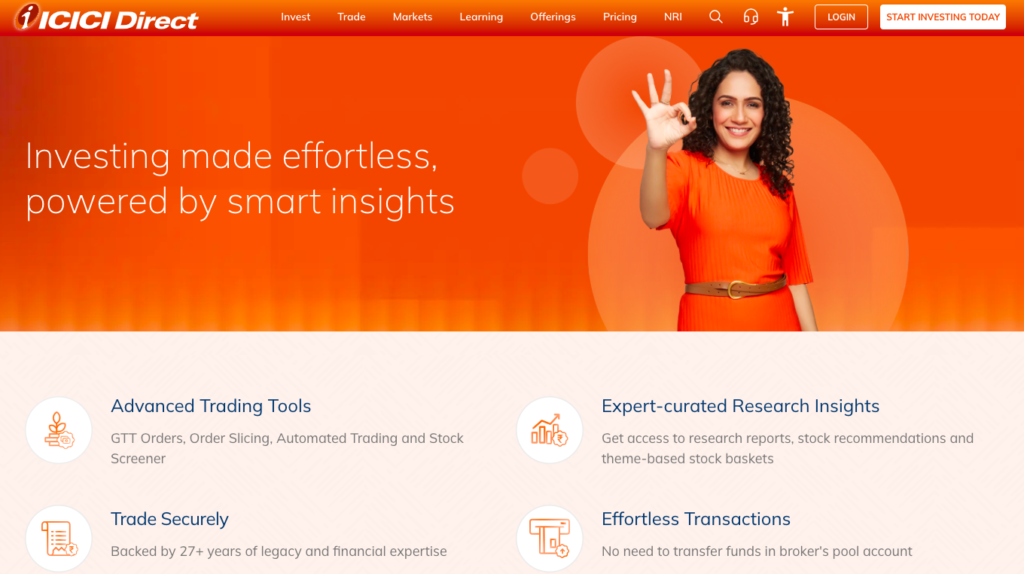
ICICI Direct is one of India’s oldest and most trusted full-service stockbrokers. Backed by ICICI Bank, it offers a comprehensive platform for investing and trading across multiple asset classes. One of its biggest advantages is the 3-in-1 Account, which seamlessly links your bank account, trading account, and Demat account.
In addition to stocks and derivatives, ICICI Direct also provides access to mutual funds, IPOs, bonds, fixed deposits, sovereign gold bonds, and other investment products.
Key Features
- Integrated 3-in-1 Bank, Trading, and Demat Account
- Trade in stocks, ETFs, mutual funds, IPOs, futures, options, commodities, and currencies
- Advanced charts and research tools
- Expert research reports and stock recommendations
- Portfolio tracking and investment insights
- Available on Android, iOS, and web browsers
Pros
- Trusted brand backed by ICICI Bank
- Seamless fund transfers through the 3-in-1 account
- High-quality research reports and market insights
- Wide range of investment products
- Suitable for both investors and traders
Cons
- Brokerage charges can be higher than discount brokers
- Some pricing plans may be confusing for new users
- Advanced traders may find charting tools less customizable than specialized platforms
Brokerage & Charges
ICICI Direct offers multiple brokerage plans, including flat-fee and percentage-based pricing. The brokerage you pay depends on the plan you choose and the type of trade.
Before opening an account, it’s important to compare the available plans and understand the applicable brokerage and other statutory charges.
Who Should Choose ICICI Direct?
ICICI Direct is an excellent choice for:
- Existing ICICI Bank customers
- Long-term investors
- Beginners looking for research support
- Investors seeking a single platform for banking and investing
- Users who value a trusted full-service broker
Who May Want Another App?
If your priority is the lowest brokerage for frequent intraday or F&O trading, discount brokers like Zerodha, Dhan, or Fyers may offer better value.
Our Verdict
ICICI Direct is an excellent option for investors who value convenience, research, and the confidence of a well-established financial institution. Although its brokerage can be higher than discount brokers, the integrated banking experience and comprehensive investment services make it a strong choice for long-term wealth creation.
Overall Rating: ⭐⭐⭐⭐☆ (4.5/5)
Best For: ICICI Bank customers, long-term investors, and users looking for a full-service brokerage platform.
HDFC SKY Review
HDFC SKY is the digital investment and trading platform from HDFC Securities. Designed for both beginners and experienced investors, it provides access to a wide range of investment products through a modern and easy-to-use interface. If you’re already an HDFC Bank customer, the platform offers a seamless experience for managing your investments.
With HDFC SKY, you can trade and invest in stocks, ETFs, mutual funds, IPOs, futures, options, commodities, and currencies—all from a single app.
Key Features
- Easy digital account opening
- Trade in equities, ETFs, mutual funds, IPOs, futures, options, commodities, and currencies
- Advanced charts and market analysis tools
- Research reports and investment recommendations
- Portfolio tracking and watchlists
- Available on Android, iOS, and web browsers
Pros
- Trusted brand backed by HDFC Securities
- Simple and user-friendly interface
- Access to quality research and market insights
- Wide range of investment products
- Convenient for HDFC Bank customers
Cons
- Brokerage plans may be costlier than discount brokers
- Some advanced trading features are less extensive than specialized trading platforms
- Certain premium features may depend on your subscription or brokerage plan
Brokerage & Charges
HDFC SKY offers different brokerage plans, including flat-fee options. The brokerage you pay depends on your selected plan and the segment you trade in.
Apart from brokerage, statutory charges such as STT, GST, exchange transaction charges, SEBI charges, stamp duty, and DP charges are applicable.
Who Should Choose HDFC SKY?
HDFC SKY is a good choice for:
- HDFC Bank customers
- Long-term investors
- Beginners looking for a trusted platform
- Investors who value research and advisory support
- Users seeking multiple investment products in one app
Who May Want Another App?
If you’re an active intraday or options trader looking for the lowest brokerage and advanced trading tools, platforms like Zerodha, Dhan, or Fyers may be more suitable.
Our Verdict
HDFC SKY combines the reliability of HDFC Securities with a modern trading experience. While it may not be the cheapest option for active traders, it offers a strong balance of convenience, research, and investment options, making it a solid choice for long-term investors.
Overall Rating: ⭐⭐⭐⭐☆ (4.4/5)
Best For: HDFC Bank customers, beginners, and long-term investors who prefer a trusted full-service brokerage.
SBI Securities Review
SBI Securities is the brokerage arm of the State Bank of India (SBI), India’s largest public sector bank. It is a full-service broker that offers trading and investment services across multiple asset classes. If you already have an SBI bank account, opening and managing your trading account can be more convenient.
The platform allows you to invest in stocks, ETFs, mutual funds, IPOs, bonds, futures, options, and other investment products through its mobile app and web platform.
Key Features
- Backed by the trusted SBI brand
- Trade in equities, ETFs, mutual funds, IPOs, futures, and options
- Research reports and investment recommendations
- Portfolio tracking and watchlists
- Secure online fund transfers
- Available on Android, iOS, and web browsers
Pros
- Trusted and well-established financial institution
- Good research reports for investors
- Wide range of investment products
- Easy fund transfers for SBI Bank customers
- Suitable for long-term investing
Cons
- Brokerage charges may be higher than discount brokers
- Trading platform is less feature-rich for active traders
- Advanced charting tools are limited compared to Zerodha, Dhan, or Fyers
Brokerage & Charges
SBI Securities offers multiple brokerage plans, and charges vary depending on the product and pricing plan you choose.
In addition to brokerage, you’ll need to pay statutory charges such as STT, GST, exchange transaction charges, SEBI charges, stamp duty, and DP charges where applicable.
Before opening an account, compare the available brokerage plans to ensure they match your trading frequency and investment needs.
Who Should Choose SBI Securities?
SBI Securities is a good choice for:
- Existing SBI Bank customers
- Long-term investors
- Beginners looking for research support
- Investors who prefer a trusted public sector financial institution
- Users seeking a full-service brokerage
Who May Want Another App?
If you’re an active intraday or F&O trader who depends on advanced charting, fast order execution, and low brokerage, discount brokers like Zerodha Kite, Dhan, or Fyers may be better suited to your needs.
Our Verdict
SBI Securities is a reliable option for investors who value trust, research, and the convenience of banking integration. While it isn’t the most feature-rich platform for high-frequency traders, it provides a solid investing experience backed by one of India’s most trusted banking institutions.
Overall Rating: ⭐⭐⭐⭐☆ (4.3/5)
Best For: SBI Bank customers, long-term investors, and beginners looking for a trusted full-service broker.
Best Trading App by User Type
The best trading app depends on your investing goals and trading style. Based on features, usability, pricing, and overall experience, here’s our editorial recommendation for different types of users.
Best Trading App for Beginners
Recommended App: Groww
Groww’s simple interface, paperless account opening, and easy navigation make it an excellent choice for first-time investors.
Why Choose Groww?
- Beginner-friendly interface
- Quick account opening
- Easy portfolio management
- Supports stocks, ETFs, mutual funds, and IPOs
- ₹0 brokerage on equity delivery
Alternative: Zerodha Kite
Best Trading App for Intraday Traders
Recommended App: Fyers
Fyers stands out for its advanced charting, fast order execution, and trader-focused features. It’s well-suited for intraday traders who rely on technical analysis and need a responsive trading platform.
Why Choose Fyers?
- Advanced TradingView charts
- Fast and reliable order execution
- 100+ technical indicators
- Price alerts and watchlists
- Flat ₹20 brokerage
Alternative: Zerodha Kite
Best Trading App for Option Traders
Recommended App: Dhan
Dhan is designed with derivatives traders in mind. Its advanced Options Chain, Greeks, Basket Orders, and trader-centric tools make it an excellent platform for F&O trading.
Why Choose Dhan?
- Advanced Options Chain
- Option Greeks
- Basket Orders
- TradingView and ChartIQ integration
- Flat ₹20 brokerage
Alternative: Zerodha Kite
Best Trading App for Swing Traders
Recommended App: Dhan
Swing traders need powerful charting, reliable execution, and flexible order types. Dhan offers a feature-rich platform that makes it easier to analyze trends and manage trades over multiple days.
Why Choose Dhan?
- Advanced charting tools
- Multiple technical indicators
- Forever Orders
- Basket Orders
- Excellent TradingView integration
Alternative: Fyers
Best Trading App for Long-Term Investors
Recommended App: Zerodha Kite
Zerodha Kite is an excellent choice for long-term investors thanks to its ₹0 brokerage on equity delivery, stable platform, and access to a wide range of investment products.
Why Choose Zerodha Kite?
- ₹0 brokerage on equity delivery
- Reliable and stable platform
- Easy portfolio tracking
- Supports stocks, ETFs, mutual funds, and IPOs
- Access to Zerodha Coin for direct mutual funds
Alternative: Groww
Best Trading App for ETF Investors
Recommended App: Zerodha Kite
ETF investors benefit from Zerodha Kite’s commission-free equity delivery, dependable order execution, and intuitive portfolio management.
Why Choose Zerodha Kite?
- ₹0 brokerage on ETF delivery
- Reliable order execution
- Easy portfolio tracking
- Advanced watchlists
- Trusted trading platform
Alternative: Groww
Best Trading App for Mutual Fund Investors
Recommended App: Groww
Groww started as a mutual fund investment platform and continues to offer one of the simplest experiences for investing in direct mutual funds.
Why Choose Groww?
- Clean and beginner-friendly interface
- Easy SIP setup
- Direct mutual fund investments
- Simple portfolio tracking
- Quick paperless onboarding
Alternative: Zerodha Coin
Best Trading App for IPO Investors
Recommended App: Groww
Groww offers a smooth IPO application process with easy UPI integration and a straightforward interface for tracking applications.
Why Choose Groww?
- Simple IPO application
- Easy UPI integration
- Beginner-friendly experience
- Fast account opening
Alternative: ICICI Direct
Best Trading App for Global Investors
Recommended App: Interactive Brokers (IBKR)
Interactive Brokers provides access to multiple international markets, including US stocks and ETFs, making it a strong choice for investors seeking global diversification.
Alternative: Explore whether your preferred Indian broker currently offers international investing through regulated partnerships.
Quick Summary
| User Type | Recommended Trading App |
|---|---|
| Beginners | Groww |
| Intraday Traders | Fyers |
| Option Traders | Dhan |
| Swing Traders | Dhan |
| Long-Term Investors | Zerodha Kite |
| ETF Investors | Zerodha Kite |
| Mutual Fund Investors | Groww |
| IPO Investors | Groww |
| Global Investors | Interactive Brokers (IBKR) |
These recommendations are based on each platform’s strengths and typical use cases. Before opening an account, compare brokerage charges, available features, and supported investment products to choose the platform that best aligns with your financial goals.
Features That Actually Matter in a Trading App
A trading app can offer dozens of features, but not all of them will improve your trading experience. The best trading apps focus on tools that help you execute trades efficiently, analyze the market, and manage risk.
Here’s what you should look for before choosing a trading app.
Fast Order Execution
Fast order execution is one of the most important features, especially for intraday and options traders. Even a small delay during volatile market conditions can result in a different execution price.
Look for a broker with a stable trading platform and a reputation for reliable order execution.
Live Market Data
Real-time market data allows you to see the latest prices, bid-ask spreads, and trading volumes without delay. This helps you make timely trading decisions and avoid relying on outdated price information.
Advanced Charts
Charts are the foundation of technical analysis. A good trading app should offer interactive charts with multiple timeframes, allowing you to study price movements and identify trading opportunities more effectively.
If you rely on chart patterns and price action, this feature is essential.
Drawing Tools
Drawing tools help you mark support and resistance levels, trendlines, channels, Fibonacci retracements, and chart patterns.
Being able to save these drawings makes it easier to review your analysis before entering a trade.
Technical Indicators
Technical indicators can help you identify trends, momentum, volatility, and potential entry or exit points.
Popular indicators include:
- Moving Averages (MA)
- Exponential Moving Average (EMA)
- Relative Strength Index (RSI)
- MACD
- Bollinger Bands
- VWAP
- Supertrend
The best trading apps provide a wide range of indicators along with customization options.
Multiple Watchlists
Watchlists allow you to organize stocks into different categories.
For example, you can create separate watchlists for:
- Intraday stocks
- Swing trading setups
- Long-term investments
- ETFs
- IPO watchlist
This makes it easier to monitor only the stocks that matter to your strategy.
Basket Orders
Basket Orders let you place multiple buy or sell orders simultaneously.
This feature is useful when:
- Building a diversified portfolio
- Executing multi-stock strategies
- Rebalancing investments
- Trading multiple option contracts
It saves time and reduces manual errors.
GTT Orders
GTT (Good Till Triggered) Orders remain active until a specified price is reached or the order expires.
They’re particularly useful for long-term investors who don’t want to monitor the market throughout the day.
Option Chain
If you trade options, an advanced Option Chain is essential.
It helps you analyze:
- Open Interest (OI)
- Change in Open Interest
- Strike prices
- Implied Volatility (IV)
- Call and Put premiums
- Greeks (on supported platforms)
A well-designed Option Chain makes option analysis faster and more efficient.
Margin Calculator
A Margin Calculator estimates how much capital is required before placing a trade.
This helps you:
- Plan position sizes
- Understand margin requirements
- Avoid order rejections
- Manage trading capital more effectively
Portfolio Analytics
Portfolio analytics go beyond showing your holdings. They provide insights into your overall performance, including returns, asset allocation, profit and loss, and sector exposure.
These insights help investors make better long-term decisions.
API Access
Some brokers offer APIs (Application Programming Interfaces) that allow traders and developers to build custom trading tools, automate strategies, or integrate third-party software.
While API access isn’t necessary for most beginners, it’s a valuable feature for advanced traders and algorithmic trading enthusiasts.
Price Alerts
Price alerts notify you when a stock reaches a specific price level.
Instead of constantly watching charts, you can receive notifications and take action only when your predefined conditions are met. This saves time and helps ensure you don’t miss potential trading opportunities.
Bottom Line: Don’t choose a trading app simply because it has the most features. Choose one that offers the tools you actually need based on your trading style. Beginners should prioritize ease of use and reliability, while active traders may benefit more from advanced charting, fast execution, and professional trading tools.
Brokerage Charges Explained
When choosing a trading app, many people focus only on the advertised brokerage. However, brokerage is just one part of your total trading cost. Every trade may also include statutory charges such as taxes, exchange fees, and other regulatory charges.
Understanding these costs can help you compare brokers more accurately and avoid surprises.
Equity Delivery
Equity delivery means you buy shares and hold them in your Demat account for more than one trading day.
Most discount brokers, including Zerodha, Groww, Dhan, and Fyers, charge ₹0 brokerage for equity delivery trades. However, you’ll still need to pay government and exchange-related charges.
This makes equity delivery one of the most cost-effective ways to invest for the long term.
Intraday
Intraday trading involves buying and selling shares on the same trading day.
Most discount brokers charge ₹20 per executed order or a percentage of the trade value (whichever is lower).
Since intraday traders execute multiple trades every day, brokerage and transaction costs can significantly impact overall profitability.
Futures
Futures contracts are commonly used for hedging and speculative trading.
Most discount brokers charge a flat ₹20 per executed order for futures trades, although brokerage may vary depending on the broker and pricing plan.
Apart from brokerage, regulatory charges also apply.
Options
Options trading has become increasingly popular among retail traders.
Most discount brokers charge ₹20 per executed order for buying or selling options.
Because options traders often place multiple orders in a single day, it’s important to consider the total trading cost rather than brokerage alone.
Currency
Currency derivatives allow traders to speculate on exchange rate movements.
Brokerage for currency trading is generally similar to futures, with many discount brokers charging a flat fee per executed order.
Currency trading also includes exchange transaction charges and applicable taxes.
Commodity
Commodity trading covers products such as gold, silver, crude oil, natural gas, and agricultural commodities.
Most discount brokers charge a flat brokerage per executed order for commodity futures and options, along with exchange and regulatory charges.
Hidden Charges
Even if a broker advertises ₹0 brokerage, your total trading cost may include several mandatory charges.
Here are the most common ones:
Securities Transaction Tax (STT)
STT is a government tax levied on the purchase and/or sale of securities. The applicable rate depends on the type of transaction, such as equity delivery, intraday, futures, or options.
Goods and Services Tax (GST)
GST is charged at 18% on brokerage and certain transaction-related charges. It is not charged directly on the value of your investment.
Exchange Transaction Charges
These charges are collected by stock exchanges such as the NSE and BSE for processing your trades. The rates vary depending on the trading segment.
SEBI Charges
The Securities and Exchange Board of India (SEBI) levies a small regulatory fee on every trade executed in the market.
Stamp Duty
Stamp duty is collected by state governments on the purchase side of transactions. The applicable rate depends on the type of security being traded.
DP (Depository Participant) Charges
DP charges apply when shares are debited from your Demat account during an equity delivery sale.
Unlike brokerage, DP charges are usually levied once per stock per day, making them particularly relevant for long-term investors selling their holdings.
Pro Tip: Don’t choose a trading app based only on its advertised brokerage. Compare the total cost of trading, including brokerage, taxes, exchange fees, and DP charges. For active traders, these costs can add up over time and have a meaningful impact on overall returns.
How to Choose the Right Trading App
With so many trading apps available, choosing the right one can feel overwhelming. Instead of selecting a broker based on advertisements or popularity, evaluate it based on your personal investing and trading needs.
Here’s a simple framework to help you make the right decision.
Trading Frequency
The first question to ask yourself is how often you plan to trade.
If you invest only a few times each month or hold stocks for years, a simple and reliable platform like Zerodha Kite or Groww may be sufficient.
However, if you trade daily, you’ll benefit from a platform with fast execution, advanced charts, and trader-focused features, such as Fyers or Dhan.
Capital Size
Your trading capital should also influence your choice.
If you’re starting with a small amount, keeping costs low is important. Discount brokers generally offer lower brokerage and account maintenance costs.
As your capital grows, you may place greater value on research tools, portfolio analytics, and premium services rather than focusing solely on brokerage.
Learning Curve
Not every trading app is equally easy to use.
If you’re a beginner, choose a platform with a clean interface and simple navigation. It will reduce confusion and help you focus on learning the stock market instead of figuring out the app.
Experienced traders may prefer platforms with more advanced tools, even if they require a little more time to learn.
Mobile vs. Desktop
Think about where you’ll trade most often.
If you primarily trade on your smartphone, choose an app with a responsive mobile interface and all the essential features.
If you spend several hours analyzing charts or placing multiple trades each day, a web or desktop platform with larger charts and multi-window support can significantly improve your workflow.
Many brokers offer both mobile and web platforms, allowing you to switch between devices seamlessly.
Research Needs
Some brokers provide detailed research reports, market analysis, stock screeners, and educational resources.
If you make investment decisions based on fundamental analysis or expert research, these features can be valuable.
On the other hand, technical traders may place more importance on charting tools than research reports.
Trading Instruments
Before opening an account, ensure the broker supports the investment products you plan to trade.
For example, you may want access to:
- Stocks
- ETFs
- Mutual Funds
- IPOs
- Futures
- Options
- Commodities
- Currency Derivatives
Choosing a broker that supports all your preferred instruments means you won’t need to open multiple trading accounts later.
Budget
Finally, consider the overall cost of using the platform.
Don’t compare brokers based only on brokerage charges. Also evaluate:
- Annual Maintenance Charges (AMC)
- DP Charges
- Platform fees (if any)
- Call & Trade charges
- Margin interest
- Other statutory charges
A slightly higher brokerage may be worthwhile if the platform offers better reliability, research tools, and customer support.
Quick Checklist Before Choosing a Trading App
Before opening an account, ask yourself these questions:
- How often will I trade?
- What is my investment or trading capital?
- Am I a beginner or an experienced trader?
- Will I mostly use a mobile app or desktop platform?
- Do I need research reports or advanced charts?
- Which financial instruments do I want to trade?
- Does the overall cost fit my budget?
By answering these questions, you’ll be able to choose a trading app that aligns with your goals instead of simply selecting the most popular broker.
Safety Checklist Before Opening a Trading Account
Opening a trading account takes just a few minutes, but choosing the wrong broker or downloading a fake trading app could put your money and personal information at risk.
Before you create an account, go through this simple safety checklist.
Check SEBI Registration
Always open your trading account with a SEBI-registered stockbroker.
SEBI (Securities and Exchange Board of India) regulates the Indian securities market and monitors registered intermediaries. Trading through a regulated broker provides better investor protection and access to formal grievance redressal mechanisms if issues arise.
Never invest through individuals or companies claiming to offer trading services without proper registration.
Verify Exchange Membership
A genuine broker should be a registered member of recognized stock exchanges such as the NSE and BSE.
You can usually find the broker’s membership details on its official website or verify them through the exchange’s member directory.
This simple check helps ensure that your trades are executed through an authorized market participant.
Enable Two-Factor Authentication (2FA)
Your trading account contains sensitive financial information and should be protected like your online banking account.
After opening your account:
- Enable two-factor authentication (2FA)
- Use a strong, unique password
- Enable biometric login if available
- Never share your OTP, PIN, or login credentials
These basic security measures can significantly reduce the risk of unauthorized access.
Verify the Official App Source
Download your trading app only from the official Google Play Store or Apple App Store.
Before installing the app, check:
- The developer’s name
- Number of downloads
- User reviews
- Official broker name
- Website link provided in the app listing
Avoid downloading APK files or apps shared through WhatsApp, Telegram, email, or unknown websites.
Avoid Fake Trading Apps
Fake trading apps have become increasingly common in India. Fraudsters often create apps that closely resemble well-known brokers and promise guaranteed returns, exclusive stock tips, or unrealistic profits.
The Ministry of Home Affairs (MHA) has warned investors about scams involving fake WhatsApp and Telegram groups, bogus trading apps, and fraudulent investment schemes. Many victims are shown fake profits initially but later find themselves unable to withdraw their money.
To combat this problem, SEBI and Google launched the “Verified App Label Initiative” in 2026. Eligible trading apps operated by SEBI-registered entities now display a Verified badge on the Google Play Store, making it easier for investors to identify legitimate platforms and avoid impersonation scams.
Quick Safety Checklist
Before opening a trading account, make sure you can answer “Yes” to each of these questions:
- Is the broker registered with SEBI?
- Is it a member of NSE and/or BSE?
- Did I download the app from the official app store?
- Does the app show the correct developer and official broker details?
- Have I enabled two-factor authentication (2FA)?
- Am I avoiding WhatsApp, Telegram, or social media groups promising guaranteed returns?
Remember: No genuine broker or SEBI-registered intermediary can guarantee profits or ask you to download a trading app through a private link. If something sounds too good to be true, it’s probably a scam. Taking a few minutes to verify a broker today can help protect your money and personal information in the future.
Common Mistakes Beginners Make
Starting your investing or trading journey is exciting, but many beginners make avoidable mistakes that can lead to unnecessary losses or frustration. Understanding these common pitfalls can help you make better decisions from day one.
Choosing Only by Brokerage
Low brokerage is attractive, but it shouldn’t be the only factor when selecting a trading app.
A platform with slightly higher charges may offer better order execution, superior charting tools, stronger security, and more reliable customer support. Consider the overall trading experience instead of focusing only on cost.
Ignoring Chart Quality
If you rely on technical analysis, chart quality matters.
A good trading app should provide responsive charts, multiple timeframes, technical indicators, and drawing tools. Poor charting can make market analysis more difficult and affect your trading decisions.
Not Checking Order Execution
Fast and reliable order execution is essential, especially for intraday and options trading.
Even small delays during volatile market conditions can result in orders being executed at less favorable prices. Before choosing a broker, consider its platform stability and execution reliability—not just its brokerage charges.
Opening Multiple Accounts Unnecessarily
Many beginners open accounts with several brokers simply because they’re popular.
Unless you have a specific reason—such as separating long-term investments from active trading or accessing unique features—managing multiple accounts can become confusing and increase administrative work.
For most beginners, one reliable broker is enough.
Using Excessive Leverage
Leverage allows you to control larger positions with less capital, but it also increases potential losses.
While leverage can amplify profits, it can just as easily magnify losses. Beginners should understand how leverage works before using it and avoid taking oversized positions.
Following Social Media Tips
Many trading ideas shared on social media, messaging apps, or online forums are based on opinions rather than thorough research.
Avoid making investment decisions solely because someone claims a stock is guaranteed to rise. Instead, conduct your own research or consult a qualified financial advisor if needed.
Confusing Investing with Trading
Investing and trading are different approaches to participating in the stock market.
Investing focuses on building wealth over the long term by holding quality assets for months or years.
Trading aims to profit from short-term price movements and generally requires more time, discipline, and risk management.
Before opening a trading account, decide which approach aligns with your financial goals instead of switching between the two without a clear strategy.
Key Takeaway: The biggest mistakes beginners make are often avoidable. Choosing a reliable broker, learning the basics, managing risk, and following a well-defined plan are far more important than finding the cheapest brokerage or chasing quick profits.
Can You Use Multiple Trading Apps?
Yes, you can use multiple trading apps in India. There is no rule that limits you to having only one trading or Demat account. In fact, many experienced investors and traders use different brokers for different purposes.
However, managing multiple accounts also comes with additional responsibilities. Before opening a second or third account, it’s important to understand both the benefits and the drawbacks.
Benefits of Using Multiple Trading Apps
Using more than one trading app allows you to choose the best platform for different investment needs.
For example:
- Use Fyers for intraday trading.
- Use Dhan for options and swing trading.
- Use Zerodha Kite for long-term stock investing and ETFs.
- Use Groww for mutual fund investments.
This approach lets you take advantage of each platform’s strengths instead of relying on a single broker for everything.
Another benefit is business continuity. If one trading platform experiences technical issues during market hours, you may still have access to your other account.
Drawbacks of Using Multiple Trading Apps
While multiple accounts offer flexibility, they also increase complexity.
You’ll need to:
- Monitor several portfolios
- Maintain multiple login credentials
- Track available funds across brokers
- Pay Annual Maintenance Charges (AMC) where applicable
- Review statements from different platforms
For beginners, managing multiple accounts can become confusing and increase the chances of making mistakes.
Portfolio Management
If your investments are spread across several brokers, tracking your overall portfolio becomes more challenging.
Instead of seeing all your holdings in one place, you’ll need to monitor separate dashboards or use a portfolio-tracking tool to get a complete picture of your investments.
Many investors prefer to keep their long-term investments with one broker while using another broker exclusively for active trading. This keeps investment and trading activities organized.
Tax Reporting
Using multiple trading apps doesn’t increase your taxes, but it does make tax filing more time-consuming.
At the end of the financial year, you’ll need to collect contract notes, profit and loss statements, capital gains reports, and tax reports from each broker.
If you trade frequently across multiple accounts, maintaining accurate records becomes even more important to ensure correct tax reporting.
Our Recommendation: For most beginners, one reliable trading app is sufficient. As your experience grows, you can consider opening additional accounts if they offer unique features that genuinely improve your investing or trading workflow. The goal is to simplify your financial life—not make it more complicated.
Indian Trading Apps vs International Brokers
If you’re planning to invest beyond Indian stock markets, you may wonder whether an Indian trading app is enough or if you should use an international broker.
The answer depends on what you want to invest in. Here’s how they compare.
| Feature | Indian Trading Apps | International Brokers |
|---|---|---|
| Indian Stocks | ✅ Yes | ❌ Usually No |
| US Stocks | Limited (through select partners) | ✅ Yes |
| Indian ETFs | ✅ Yes | ❌ No |
| US ETFs | Limited | ✅ Yes |
| Forex Trading | Only Currency Derivatives | Depends on regulations and broker |
| Regulation | SEBI | Country-specific regulators (e.g., SEC, FINRA, FCA, ASIC) |
Indian Markets
Indian trading apps such as Zerodha Kite, Groww, Dhan, and Fyers are designed primarily for investing and trading in Indian financial markets.
They provide access to:
- NSE-listed stocks
- BSE-listed stocks
- ETFs
- Mutual Funds
- IPOs
- Futures & Options
- Commodity and Currency Derivatives (through supported exchanges)
For most Indian investors, these platforms offer everything needed to build a diversified domestic portfolio.
US Stocks
If you want to invest in companies like Apple, Microsoft, NVIDIA, Amazon, Tesla, or Alphabet, you’ll need access to US stock exchanges.
Some Indian platforms offer international investing through partner brokers, although availability and services may change over time.
If your primary focus is global investing, a dedicated international broker generally provides broader market access and a wider range of investment products.
ETFs
Indian trading apps allow you to invest in ETFs listed on Indian exchanges, including:
- Nifty ETFs
- Sensex ETFs
- Gold ETFs
- Silver ETFs
- Sector ETFs
International brokers provide access to thousands of ETFs listed on exchanges such as the NYSE and Nasdaq, covering global markets, sectors, bonds, commodities, and international indices.
Forex Availability
This is one area where many beginners get confused.
Indian trading apps do not allow retail traders to participate in the global spot Forex market.
Instead, they offer currency derivatives traded on Indian exchanges, where you can trade selected currency pairs permitted under Indian regulations.
International brokers may provide access to the global Forex market, depending on the broker, the country where it operates, and the regulations that apply to your residence.
Regulatory Differences
Indian trading apps are regulated by the Securities and Exchange Board of India (SEBI) and operate under Indian market regulations.
International brokers are regulated by authorities in their respective countries. Depending on the broker, this may include regulators such as:
- U.S. Securities and Exchange Commission (SEC)
- Financial Industry Regulatory Authority (FINRA)
- Financial Conduct Authority (FCA) in the UK
- Australian Securities and Investments Commission (ASIC)
Before opening an account with any international broker, verify that it is licensed by the appropriate financial regulator and understand any tax, reporting, and foreign investment rules that may apply in your country.
Which Should You Choose?
If your goal is to invest or trade primarily in Indian stocks, ETFs, IPOs, and F&O, an Indian trading app such as Zerodha Kite, Groww, Dhan, or Fyers is usually the most practical choice.
If you want to build a globally diversified portfolio with access to US stocks and international ETFs, you may benefit from using a regulated international broker in addition to your Indian trading account.
How to Open a Trading Account
Opening a trading account in India is a simple online process that usually takes 15 to 30 minutes. Most brokers offer paperless account opening, allowing you to complete the entire process from your smartphone or computer.
Here’s a step-by-step guide.
Step 1: Keep Your Documents Ready
Before you begin, make sure you have the following documents:
- PAN Card
- Aadhaar Card
- Bank account details
- Cancelled cheque or bank statement (if required)
- Signature (digital or scanned)
- Passport-size photograph (if required)
Having these documents ready will make the registration process much smoother.
Step 2: Complete e-KYC
After entering your mobile number and email address, you’ll need to complete your Know Your Customer (KYC) verification.
Most brokers use Aadhaar-based e-KYC, allowing you to verify your identity digitally using an OTP linked to your Aadhaar.
This step confirms your identity and address.
Step 3: Link Your Bank Account
Next, you’ll need to link your savings bank account.
Your bank account will be used to:
- Add trading funds
- Receive withdrawal requests
- Credit dividends and other payouts
Make sure the bank account is in your own name.
Step 4: Complete In-Person Verification (IPV)
SEBI requires brokers to verify the identity of new customers.
Most brokers now complete In-Person Verification (IPV) online by asking you to:
- Record a short selfie video
- Capture a live photograph
- Read a verification code on camera
This process usually takes only a few minutes.
Step 5: e-Sign the Application
Once your details have been verified, you’ll need to digitally sign the account opening form using Aadhaar OTP or another approved e-sign method.
Review all the information carefully before submitting your application.
Step 6: Account Verification & Activation
After submission, the broker reviews your application and verifies your documents.
If everything is in order, your:
- Trading Account
- Demat Account
- Login credentials
will usually be activated within a few hours or, in some cases, by the next business day.
Step 7: Add Funds & Place Your First Trade
Once your account is active, you can transfer money from your linked bank account to your trading account.
Before placing your first trade:
- Familiarize yourself with the trading platform.
- Check the brokerage and applicable charges.
- Start with a small investment while learning how the platform works.
- Always use proper risk management if you plan to trade actively.
Quick Checklist
Before opening your trading account, make sure you have:
- PAN Card
- Aadhaar Card linked with your mobile number
- Active bank account
- Valid mobile number and email address
- Internet connection for e-KYC and IPV
With these documents ready, you can open a trading and Demat account online and start investing or trading once your account is activated.
Risk Management Features to Look For
Choosing a trading app isn’t just about charts, brokerage, or execution speed. The best platforms also provide risk management tools that help protect your capital and encourage disciplined trading.
If you’re an active trader, these features can be just as important as low brokerage.
Stop-Loss Orders
A Stop-Loss Order automatically exits your position when the price reaches a predetermined level.
Instead of watching the market constantly, you can define your maximum acceptable loss before entering a trade.
Every trader should know how to use stop-loss orders, as they help:
- Limit potential losses
- Remove emotional decision-making
- Improve trading discipline
Bracket Orders (Where Available)
A Bracket Order combines three orders into one:
- Entry Order
- Stop-Loss Order
- Target (Take-Profit) Order
Once your trade is executed, both the stop-loss and profit target are placed automatically.
Although not every broker currently offers Bracket Orders in all market segments, they can be useful for traders who want predefined risk and reward levels.
GTT Orders
GTT (Good Till Triggered) Orders remain active until a specified price is reached or the order expires.
They’re especially useful for:
- Long-term investors
- Swing traders
- Traders who cannot monitor the market throughout the day
Instead of checking prices continuously, your order is triggered automatically when your chosen price is reached.
Margin Alerts
Trading with margin can increase both profits and losses.
A good trading platform should notify you when:
- Available margin is running low
- Additional funds are required
- Your position is approaching a margin shortfall
These alerts help you take action before your broker squares off your positions.
Position Limits
Position limits allow you to control how much capital you expose to a single trade or trading session.
Some trading platforms let you set limits based on:
- Maximum order value
- Maximum position size
- Quantity restrictions
These controls can prevent accidental oversized trades and encourage better capital management.
Kill Switch / Trading Controls
A Kill Switch (also called a Trading Lock or Trading Control) is one of the most valuable yet underused risk management features.
It allows you to temporarily disable trading in specific market segments or your entire account.
This feature can be particularly helpful if you:
- Reach your daily loss limit
- Feel emotionally affected after consecutive losing trades
- Want to prevent revenge trading
- Need a break from the markets
For example, if your daily loss limit is ₹2,000, activating a Kill Switch after reaching that limit prevents you from placing additional trades for the day. This can help protect your trading capital and reduce impulsive decisions driven by emotions rather than strategy.
Why These Features Matter
Successful trading isn’t about winning every trade—it’s about managing risk consistently.
Features like stop-loss orders, GTT orders, margin alerts, and trading controls can help you:
- Protect your trading capital
- Reduce emotional decision-making
- Avoid overtrading
- Follow your trading plan more consistently
- Build long-term trading discipline
Key Takeaway: The best trading app isn’t necessarily the one with the lowest brokerage or the most indicators. It’s the one that helps you manage risk effectively. Before opening an account, check whether the platform offers essential risk management tools that support disciplined trading and help you avoid impulsive or revenge trading.
Frequently Asked Questions (FAQs)
Which is the best trading app in India?
There isn’t a single best trading app for everyone. Zerodha Kite is an excellent choice for long-term investors, Fyers is well-suited for intraday traders, Dhan stands out for options and swing trading, and Groww is ideal for beginners and mutual fund investors. The right app depends on your trading style and investment goals.
Which trading app is best for beginners?
Groww is one of the best trading apps for beginners due to its simple interface, paperless account opening, and easy portfolio management. It also supports stocks, ETFs, mutual funds, and IPOs from a single platform.
Is Zerodha better than Groww?
It depends on your needs. Zerodha Kite offers more advanced trading tools, charting features, and order types, making it better for active traders and experienced investors. Groww focuses on simplicity and ease of use, making it a better choice for beginners and long-term investors.
Which trading app has the lowest brokerage?
Most leading discount brokers, including Zerodha, Groww, Dhan, and Fyers, offer ₹0 brokerage on equity delivery and charge around ₹20 per executed order for intraday and F&O trading. Instead of comparing brokerage alone, consider the total trading cost, including statutory charges.
Which app is best for options trading?
Dhan is one of the best trading apps for options trading. It offers an advanced Options Chain, Greeks, Basket Orders, TradingView integration, and trader-focused features designed for derivatives traders.
Can I trade without brokerage?
Yes, many discount brokers charge ₹0 brokerage on equity delivery investments. However, statutory charges such as STT, GST, exchange transaction charges, SEBI charges, stamp duty, and DP charges still apply where applicable.
Which trading app is safest?
A trading app is considered safe if it is offered by a SEBI-registered broker, uses secure login methods such as two-factor authentication (2FA), and is downloaded from the official Google Play Store or Apple App Store. Always verify the broker’s credentials before opening an account.
Are trading apps regulated by SEBI?
Yes. Trading apps offered by registered Indian stockbrokers operate under the regulations of the Securities and Exchange Board of India (SEBI). Most brokers are also members of recognized stock exchanges such as the NSE and BSE.
Can I use multiple trading apps?
Yes. You can open trading and Demat accounts with multiple brokers. Many investors use different platforms for different purposes, such as long-term investing, intraday trading, or options trading. However, managing multiple accounts also means tracking separate portfolios and tax reports.
Is a mobile trading app enough, or do I need a desktop platform?
For most investors and casual traders, a mobile trading app is sufficient. However, if you spend several hours analyzing charts, placing multiple trades, or using advanced trading tools, a web or desktop platform can provide a more comfortable and efficient experience.
What documents are needed to open a trading account?
Most brokers require the following documents:
PAN Card
Aadhaar Card
Bank account details
Mobile number linked to Aadhaar
Email address
Photograph and signature (if required)
Some brokers may request additional documents depending on your account type.
Which trading app is best for long-term investing?
Zerodha Kite is one of the best choices for long-term investing because it offers ₹0 brokerage on equity delivery, a reliable platform, excellent portfolio management, and access to direct mutual funds through Zerodha Coin.
Can NRIs use Indian trading apps?
Yes. Non-Resident Indians (NRIs) can invest in Indian stock markets through eligible trading apps and brokers that provide NRI trading and Demat accounts. Additional documentation and banking requirements, such as NRE or NRO accounts, usually apply, and the account opening process may differ from that of resident Indians.
Conclusion
Choosing the best trading app isn’t about picking the most popular broker—it’s about finding the platform that best matches your investment goals, trading style, experience level, and budget.
If you’re a beginner, you may prefer a simple and intuitive platform like Groww. Active intraday traders might benefit from Fyers, while Dhan offers powerful tools for options and swing trading. For long-term investors, Zerodha Kite remains an excellent choice thanks to its reliable platform and ₹0 brokerage on equity delivery.
Before opening an account, compare more than just brokerage charges. Consider factors such as platform reliability, order execution speed, charting tools, security features, customer support, and the total cost of trading, including statutory charges.
Whenever possible, explore the platform using a demo account or start with a small investment. This allows you to become familiar with the interface and trading process before committing larger amounts of capital.
Most importantly, remember that no trading app can guarantee profits. Successful investing and trading depend on your knowledge, discipline, strategy, and risk management—not the broker you choose.
Take time to learn the basics, develop a trading or investment plan, and increase your capital gradually as your experience grows. By focusing on continuous learning and disciplined decision-making, you’ll be better prepared to navigate the financial markets with confidence.

You may also like

Jio IPO 2026: $154B 5G Giant Investment Opportunity